How to Calculate Your Macros for Weight Loss (Step by Step)
Set calories, then protein and fat by bodyweight, and let carbs fill the rest — with a worked example and gram targets for four body sizes.
Read the post →PlateAI turns a single photo of your plate into calories, protein, carbs, and fat — no searching, no barcodes, no guessing. Just shoot and know.
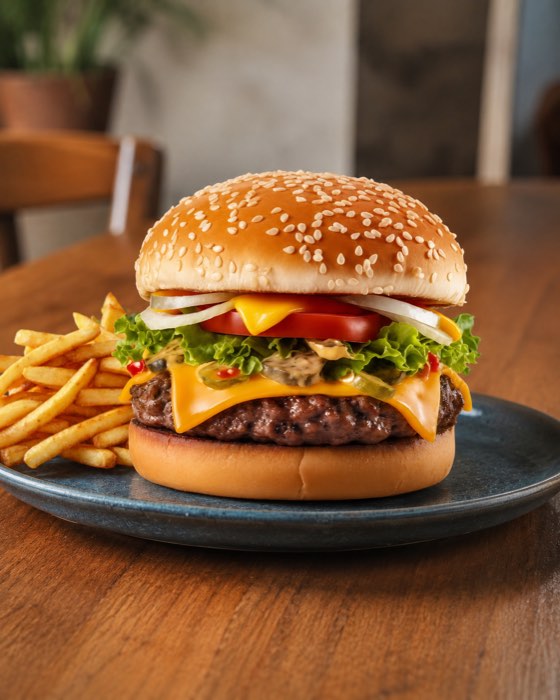
Real screens, real logged meals — no mockups.
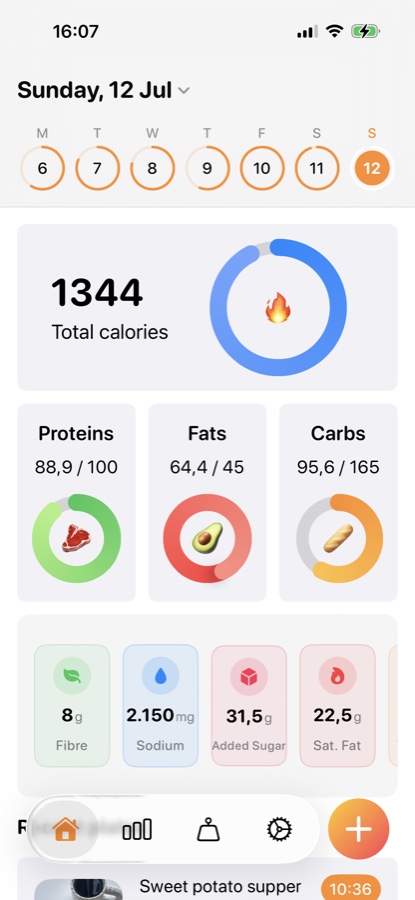
Today's calories and macros, at a glance
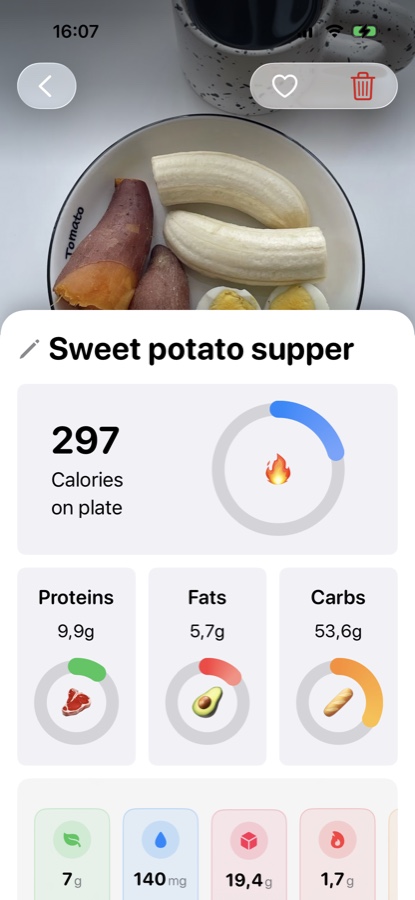
Snap a plate, get calories back instantly
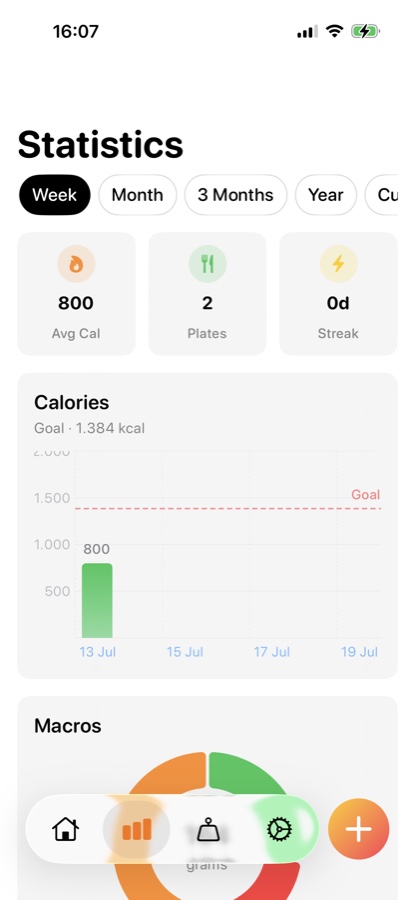
Weekly and monthly trends, not just today
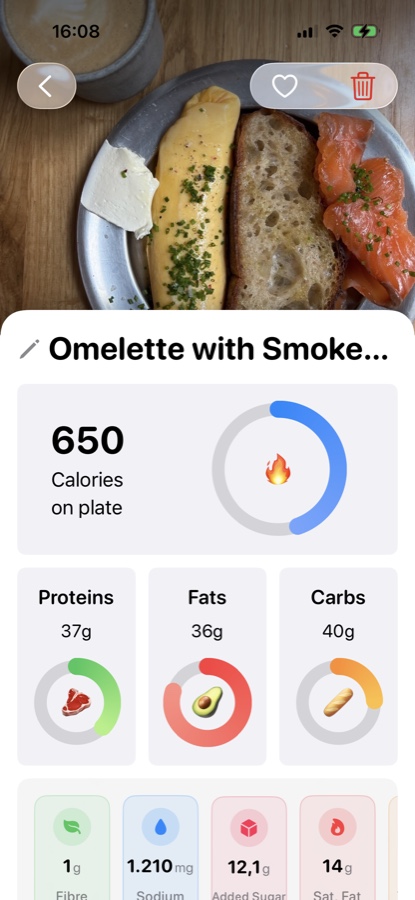
Every ingredient accounted for, down to sodium
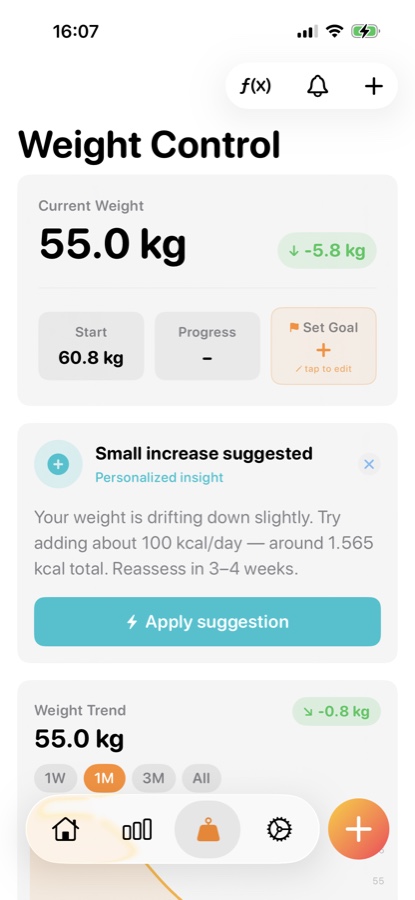
A trend line and a nudge when it's time to adjust
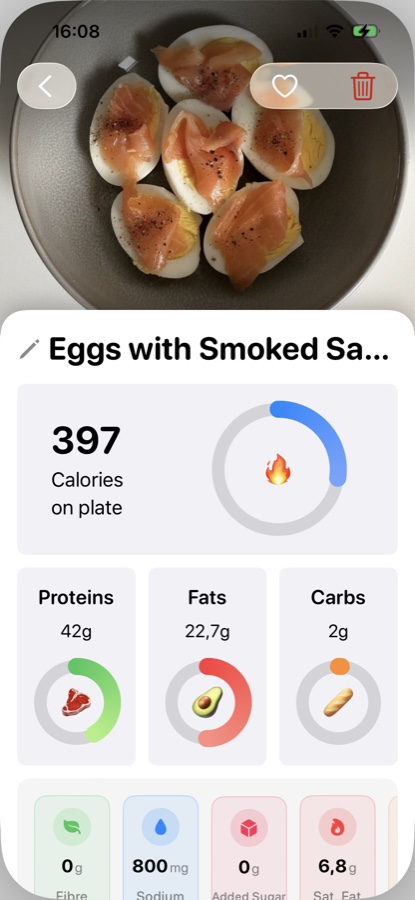
High protein, logged in seconds
Tracking only works if it takes less effort than skipping it. Every feature below exists to remove a step.
One photo returns calories, protein, carbs, and fat — the camera does the work a food diary used to.
Color-coded rings for protein, carbs, and fat fill up through the day so you can see the gap at a glance.
Log weigh-ins, chart the trend, and get a weekly or monthly nudge — synced quietly with your goals.
Week and month views turn every logged plate into a trend line, not just a number you forget tomorrow.
Instead of one slow call that makes you stare at a spinner, analysis runs in three stages — so you see numbers almost immediately, and precision keeps arriving after.
Calories, protein, carbs, and fat land within seconds of the shutter — enough to log the meal and move on.
A batched pass fills in the rest — fiber, sugars, sodium, and the micronutrients that don't need to block your first read.
Once the full picture is in, PlateAI scores the meal so you can compare plates at a glance, not just calories.
The icon is the mission statement: real food, read as real data. PlateAI exists to close the gap between eating something and knowing what you just ate — without turning every meal into data entry.
Searching a database, weighing ingredients, scanning barcodes — every extra step is a reason to quit by day four. Most nutrition apps optimize for completeness. We optimized for the thing people actually do: take a photo before they eat.
PlateAI reads a plate the way a nutritionist would glance at one — estimating portions and ingredients from the image itself, then staging the analysis so a usable number shows up before the detailed one finishes computing.
PlateAI is built by a small independent team who eats its own dog food — every macro ring, weight chart, and reminder shipped because someone on the team wanted it for themselves first.
If logging a meal takes longer than eating it, the feature has already failed.
Estimates are labeled as estimates, and refine automatically as richer analysis lands.
Photos and logs exist to serve you, not to be resold as a training set for someone else.
Every screen answers one question well instead of every question badly.
Notes on nutrition, product decisions, and what we're shipping next.
Set calories, then protein and fat by bodyweight, and let carbs fill the rest — with a worked example and gram targets for four body sizes.
Read the post →Set a target, pick a logging method you'll actually keep, and avoid the hidden-calorie mistakes that sink most first attempts — no food scale required.
Read the post →TDEE, deficit size, and why the formula only gets you in the neighborhood — a practical guide to finding your real number.
Read the post →Why the RDA is a floor, not a target — practical ranges, real food examples, and what changes in a deficit.
Read the post →Why we default the Weight Control reminder to weekly instead of daily, and how to read a trend line instead of a single number.
Read the post →It's not a calorie count in disguise — here's the mix of macro balance, nutrient density, and portion signals that make up a single score.
Read the post →The visual cues — plate coverage, sauce sheen, char marks — that carry more signal than people expect, and where photo estimates still need a gut-check.
Read the post →A practical system for ordering, estimating, and logging restaurant food you didn't cook yourself.
Read the post →Granola, avocado toast, smoothies — the foods that feel virtuous are often the ones quietly working against a calorie goal.
Read the post →What the evidence actually says about time-restricted eating — and why the window matters less than what's on the plate.
Read the post →Answers to what we hear most. Can't find it here — email us directly.
For bugs, billing, or anything account-related. We reply within one business day.
plateaibusiness0@gmail.comTell us what's missing. Weekly reminders and the health score both started here.
plateaibusiness0@gmail.comNothing broken right now. If something feels off, email support first — we'll confirm before it's posted anywhere public.